
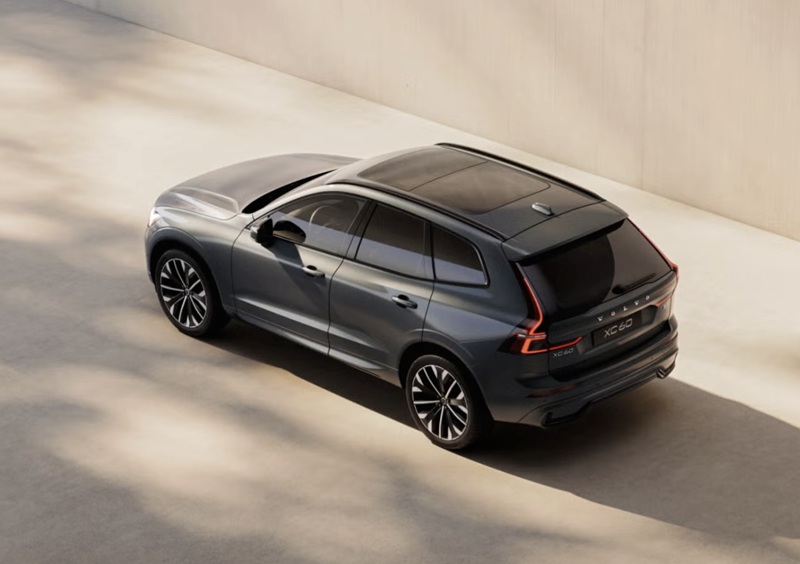
Patrick Volvo Cars - Why the 11.2-inch center display in the 2026 Volvo XC60 streamlines daily drives around Mount Prospect, IL
The 2026 Volvo XC60 is loaded with thoughtful technology, but the feature you use most is the 11.2-inch center display. It is your everyday command center—clear, responsive, and designed so essential functions are always within easy reach. Around Mount Prospect, IL, where quick turns off Northwest Highway and timely lane choices near Randhurst Village matter, a smart interface is more than a nicety. It is a calmer commute and a less-distracting cabin.
What the larger display changes day to day
Bigger is not automatically better—layout and responsiveness matter. In the XC60, the 11.2-inch display gives you more room for at-a-glance information without crowding the screen. Menus are logically grouped and easy to learn, and the tiles make it simple to keep navigation, media, and key settings available without unnecessary tapping. The result is a system that does not demand your attention; it rewards short glances with fast clarity so your focus stays on the road through Mount Prospect’s stop-and-go stretches.
With Google services enabled through a digital services package, the XC60 taps into familiar tools you already use. That means mapping with strong address recognition and intelligent rerouting, plus voice control that understands everyday phrases. When a train crossing near Prospect Heights slows traffic or a lane closure on Euclid pops up, you have helpful guidance in seconds. For many drivers, this avoids the learning curve and frustration of some luxury systems that hide basics behind gestures or submenus.
Apple CarPlay and Android Auto, simplified
Wired Apple CarPlay is standard in the 2026 XC60, and Android Auto is available via USB-C. That dual approach gives you confidence that your phone will connect consistently without guessing about compatibility. If you prefer your native phone apps, you do not have to sacrifice voice commands, playlists, or familiar map views. If you are happy with the vehicle’s Google services, you can keep it simple and skip the cable entirely. Either way, it is not an either-or decision—you choose what works best for that drive.
This flexibility helps when you share the XC60. One driver can plug in and rely on Apple CarPlay for charting routes to the Mount Prospect Ice Arena, while another can leave the phone in a bag and let the built-in navigation take over for a run to Downtown Chicago. No confusion, no re-learning, just a consistent experience that meets you where you are.
Everyday Mount Prospect use cases
Real life is where good tech proves itself. Picture pulling out of a tight spot along Rand Road: the display shows a clear camera view, giving you confidence around curbs and planters. On short trips to Lions Park, you can keep route guidance zoomed in while a compact audio tile stays visible for quick volume and track changes. When you hop onto I-90, the larger map pane and on-screen prompts help time lane changes calmly even when traffic bunches up near the tollway.
The 11.2-inch screen also shines during those micro-moments—picking a podcast before a school pickup line, finding a coffee stop on Northwest Highway, or toggling a driver assist feature before a longer run toward Arlington Heights. The system’s responsiveness and sensible tile layout cut down on menu-diving, which in turn lowers the cognitive load of simple tasks. You spend less time figuring out the interface and more time enjoying the XC60’s quiet cabin and smooth drive.
Pair it with confidence-building driver aids
The XC60’s interface integrates naturally with available driver assistance features like Pilot Assist and the 360-degree camera. When you activate supportive steering and speed assistance, the display keeps status cues clear without clutter. Switch to the camera view for a crisp perspective when navigating parking areas around Randhurst Village or backing into a street-side spot near downtown Mount Prospect. The experience feels consistent and predictable, which is exactly what you want in busy, close-quarters driving.
Add in wired Apple CarPlay and Android Auto via USB-C, and you have a simple fallback if you ever want your phone’s interface in the foreground. This is not about replacing one system with another; it is about best-of-both-worlds access so each trip can be configured quickly, with minimal friction.
Tips to get more out of the XC60 display
- Customize your homescreen tiles so navigation and audio are always one tap away
- Use voice commands for quick address entry to reduce typing at red lights
- Keep a USB-C cable in the center console for consistent Apple CarPlay or Android Auto
- Explore camera views before you need them, especially if you frequent tight parking
- Set favorite destinations—home, school, gym—for one-touch routing
If you are coming from another luxury brand and worried about a learning curve, take heart: the XC60’s interface focuses on clarity and flow. You will likely feel comfortable by the end of your first afternoon. Mount Prospect’s mix of residential streets, retail corridors, and quick highway hops is the perfect environment to appreciate how well-organized screens, strong voice control, and reliable phone integration lower stress and keep everything moving.
Frequently Asked Questions:
Does the 2026 Volvo XC60 have Apple CarPlay?
Yes. Wired Apple CarPlay is standard, allowing you to connect your iPhone and use your preferred apps directly through the center display.
Can I use Android Auto in the XC60?
Yes. Android Auto is available via USB-C, so you can bring your Android phone’s apps and voice assistant into the cabin easily.
What makes the XC60’s display feel easier to use?
Clear on-screen tiles, intuitive menu structure, and responsive touch inputs reduce taps and make key functions simple to access while driving.
Do I need to use my phone’s apps, or can I rely on the built-in system?
You can do either. Many drivers enjoy the built-in Google services for everyday navigation and voice control, while others prefer plugging in. The XC60 supports both approaches well.
Is the 360-degree camera easy to access on the display?
Yes. The camera views are intuitive to select and provide sharp visuals for curbs, tight spaces, and low-speed maneuvers.
When you are ready to see how the 11.2-inch center display and connected features come together in everyday driving, our team can walk you through a guided demo and tailor suggestions to your daily routes. We are serving Mount Prospect, Rolling Meadows, and Oak Brook with a focus on making tech approachable and useful. If you want a luxury SUV that trims the stress from screen-based tasks without dumbing things down, the 2026 Volvo XC60 delivers. Visit us to explore the interface in person, take a loop on your typical roads, and set up your preferred apps from the start. Patrick Volvo Cars will help you get the most value out of the technology you will use every day.
Request more 2026 Volvo XC60 information
Categories:
Volvo XC60
 AdChoices