
Patrick Volvo Cars - Which SUV has the smarter built-in tech around Oak Brook, IL — the 2026 Volvo XC40 or the 2026 Audi Q3?
When drivers ask which compact luxury SUV delivers the smarter, more seamless in-car technology for suburban life near Oak Brook, the comparison often centers on two favorites: Volvo’s native Google built-in experience in the XC40 and Audi’s MMI system in the Q3. Both are polished. The difference is how naturally the systems fit daily driving, from navigating to work along I-88 to juggling pickups and errands on York Road.
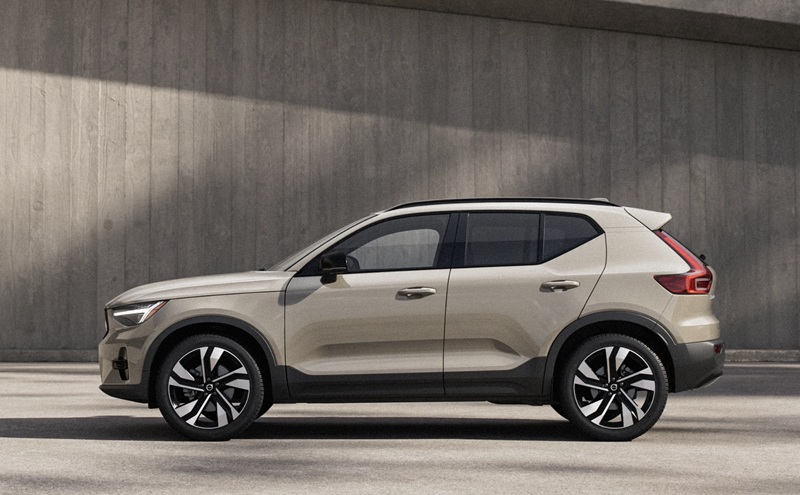
Volvo integrates Google built-in at the system level. That means Google Maps runs natively in the XC40 with real-time traffic, lane-level guidance, and smart rerouting without relying on your phone. Google Assistant controls cabin functions, calls, messages, and media by voice, and Google Play lets you add familiar apps over time. The result is a cockpit that feels focused and decluttered. Audi’s dual-screen MMI layout in the Q3 is quick, crisp, and supports wireless Apple CarPlay and Android Auto—great for mirroring. The distinction is subtle but important: the Volvo’s approach is “built-in and ready,” while the Audi encourages a “bring-your-own-ecosystem” workflow. Both work, yet the XC40’s native platform tends to require fewer taps and less device management on the go.
How cabin tech changes daily driving
Small differences in interface design have big payoffs in suburban traffic. With Google built-in, the XC40 adapts to your patterns—favorite routes, preferred podcasts, and your calendar—without unlocking a phone or hunting for a cable. You step in, say “Hey Google,” and the car does the rest. Over-the-air updates keep software fresh, so features improve quietly in the background. The Q3’s MMI is equally modern in look and feel, and Audi’s virtual cockpit can present navigation and media beautifully, especially if you prefer Apple Maps or Google Maps from your phone. Those who live fully inside iOS or Android will find the Q3 setup familiar. The question to ask is simple: Do you want your SUV to be the digital hub—or a premium screen for your devices?
Beyond infotainment, each SUV layers on useful tech. The XC40 offers an available 360° camera for tight parking around downtown Oak Brook and a Panoramic roof that makes the cabin feel airy without washing out the displays. The Q3 answers with its own available top view camera system and available head-up display. For audio, the Volvo’s available Harman Kardon Premium Sound balances clarity and warmth, while the Audi’s available Sonos system provides punch and presence. Both are rewarding; your ear will decide. Volvo’s advanced cabin air purifier with a PM2.5 sensor is a unique wellness advantage—when air quality dips, that hidden layer of tech quietly improves your ride.
When navigation is mission-critical
If you regularly navigate construction near commercial centers or need precise POI search—like the right parking garage entrance for a business meeting—the XC40’s native Google Maps usually gets you there with fewer steps. Search is conversational, and Assistant follows up naturally: “Navigate to The Drake Oak Brook” or “Find the nearest coffee on the way.” Because it’s built-in, the map remains stable if a phone battery is low or a connection drops. The Q3’s wireless mirroring keeps your chosen apps in play and usually satisfies, especially if you love Apple’s ecosystem. But if you share the vehicle with others who swap devices often, Volvo’s always-on foundation keeps everyone productive without setup friction.
Feature checklist that matters locally
Drivers around Oak Brook typically ask for a few specific capabilities that help week in and week out. Here’s how the XC40 lines up:
- Native navigation: Google Maps built-in with live traffic, lane guidance, and voice-first search with Google Assistant.
- Voice control: “Hey Google” to adjust climate, send messages, place calls, and queue playlists without taking hands off the wheel.
- Updates over time: Over-the-air software updates add refinements without a service visit.
- Parking confidence: Available 360° camera view for malls and office garages with tight ramps and pillars.
- Clean cabin air: PM2.5 air purifier that can pre-clean from the Volvo Cars app before you step in.
The Audi Q3 brings a lot to like—snappy screens, wireless mirroring, and available head-up display. If you prefer your phone’s ecosystem to lead the way, you’ll feel at home. If you want the car to be the platform, with less device juggling, the Volvo takes a persuasive lead.
Frequently Asked Questions:
Does the XC40 still support Apple CarPlay and Android Auto if it already has Google built-in?
Yes. You can run the native Google experience or plug in your phone and use Apple CarPlay or Android Auto. The XC40 gives you both pathways.
Can the Q3’s MMI do everything the XC40’s Google built-in can?
MMI covers most needs and works brilliantly with mirrored apps. Where the XC40 stands apart is native Google Maps, Assistant, and Play without relying on a phone, along with tight voice integration for vehicle functions.
Which system is easier for shared vehicles?
Both are usable, but Google built-in tends to reduce setup time when multiple drivers rotate. Profiles, routes, and apps live in the car, so each driver can step in and go without pairing a device.
What about long-term tech support and updates?
The XC40 supports over-the-air updates that roll out new features and improvements. Audi also updates its systems, though the Volvo’s Google-based platform often delivers refinements more like a smartphone—quietly and frequently.
At the end of the day, the smarter cabin is the one that matches your habits. If you want fewer steps and the car as your digital home base, the XC40’s Google built-in advantage pays off every drive. If you’re committed to mirroring from your phone with wireless convenience, the Q3 remains an excellent option. For a hands-on demo of both approaches and help tailoring the right setup, Patrick Volvo Cars stands ready, serving Mount Prospect, Rolling Meadows, and Oak Brook with test-drive routes that mirror real suburban errands and commutes.
Take a focused drive that includes garage parking, a quick highway merge, and a couple of errand stops. Try voice commands, swap between CarPlay and native Maps, and judge which approach best keeps your attention on the road. The right answer will feel obvious after just a few turns.
Request more 2026 Volvo XC40 information
Categories:
Volvo XC40
 AdChoices