
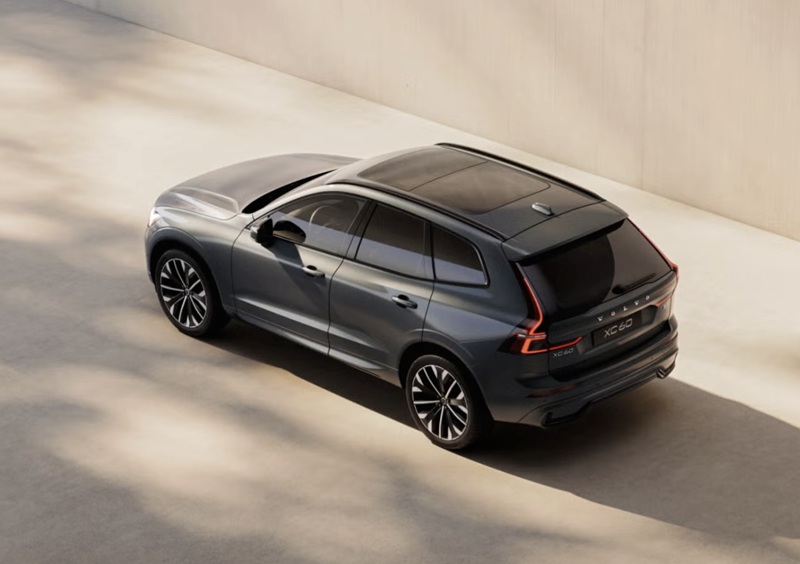
Patrick Volvo Cars - How Google built-in in the 2026 Volvo XC60 streamlines daily drives around Elk Grove Village, IL
Volvo pairs elegant design with quietly powerful technology, and nowhere is that more clear than in the 2026 Volvo XC60’s Google built-in experience. Around Elk Grove Village, IL, where your day might span school drop-offs, a Costco run, and a client meeting near the industrial corridor, the XC60’s voice-forward, map-smart cabin keeps pace without adding mental load. Once you settle into the supportive driver’s seat and glance at the clean 11.2-inch center display, you realize this isn’t just an infotainment screen—it’s a digital co-pilot that tucks seamlessly into your routine.
Google Maps anchors the system with crisp, context-rich guidance, while Google Assistant responds naturally to commands like “set temperature to 70” or “navigate to the nearest coffee drive-thru.” That means fewer taps and less time hunting for settings, so you remain focused on the road. With wired Apple CarPlay and Android Auto also available, you can choose the smartphone connection you prefer without sacrificing the deep integration that Google built-in brings to the XC60’s everyday usability.
Why Google built-in matters for suburban multitaskers
In the suburbs, convenience is king. You might hop from residential streets to the Jane Addams Tollway and back to neighborhood retail—often within the same hour. With Google built-in, the XC60 anticipates these shifts. Google Maps delivers live traffic and intelligent rerouting to avoid backups near the busiest intersections, while Assistant handles on-the-fly requests—calling a client, finding a pharmacy, or adjusting the cabin climate for the next carpool leg—using natural language. The benefit is not just novelty; it is reduced friction and a smoother mental workload while covering a lot of ground in a short window.
The XC60’s interface is organized with large, glanceable tiles and crisp typography that Volvo engineers designed to minimize distraction. Important toggles stay close at hand, and you can keep audio, maps, and key vehicle functions in view without a cluttered feel. For shoppers who value a serene cabin, that intentional simplicity pairs beautifully with the Volvo’s comfortable ride and supportive seating to create a genuinely calming environment in motion.
Quick setup tips to get the most from Google built-in
- Sign in first: Use your Google account on the center display to sync preferences, places, and past searches instantly.
- Favorite key destinations: Pin work, school, and frequently visited stores in Google Maps for one-tap routing.
- Train your voice: Enable voice matching in Assistant settings so the system recognizes your requests more accurately.
- Curate apps: Choose the media and productivity apps you use most via Google Play to keep the interface streamlined.
- Mix and match: Keep Apple CarPlay or Android Auto handy for specific apps while relying on Assistant for climate, calls, and quick searches.
These five steps take minutes and unlock a more intuitive XC60 every day. Once Assistant understands your voice and your go-to routes are saved, the vehicle starts to feel attuned to your patterns, like a well-organized home base on wheels.
Voice commands that genuinely replace screen taps
It’s one thing to say a system is voice-friendly; it’s another to comfortably live by it. In the 2026 XC60, the useful commands become second nature. Try lines like “navigate to the closest gas station,” “play the latest news podcast,” “call Taylor,” “set fan speed to three,” or “what’s the traffic like near Biesterfield Road?” The responses are fast and contextually informed, cutting down on screen digging and button hunting. That matters when you are juggling schedules and want to keep your eyes up and your mind clear.
- Navigation help: “Find parking near the library,” “Take the fastest route to home,” “Avoid tolls on this trip.”
- Cabin comfort: “Turn on seat heating,” “Lower temperature two degrees,” “Defrost the front windshield.”
- Stay connected: “Text I’m five minutes out,” “Call Mom,” “Read the last message.”
- Media control: “Play jazz radio,” “Resume my audiobook,” “Turn volume down.”
If you like to keep your steering inputs smooth and your attention steady, these commands quietly raise the standard of daily driving—especially during those quick jumps from Elk Grove Village to nearby appointments and pick-ups.
How it pairs with safety and convenience tech
Google built-in fits naturally with the XC60’s broader suite of driver support. When Pilot Assist is available, having clear map guidance complements its gentle steering assistance and distance-keeping in traffic. The optional Head-up display can put guidance and key speed info in your line of sight, while the available 360-degree camera makes daycare pick-up lanes or tight parking spots less stressful. Together, the systems are designed to keep interaction light, clarity high, and your drive more composed.
For families, the ease of issuing voice commands from the driver’s seat while kids settle in the back is a simple but meaningful win. And because Assistant also helps with practical needs—finding a late-hours pharmacy or the nearest dog park—you are not toggling between apps or fumbling with your phone when minutes matter.
Frequently Asked Questions:
Do I need a data plan for Google built-in features?
The XC60’s Google services are enabled through a digital services package for a set period from new; after that, you can choose to renew. Some features depend on connectivity to deliver live data and updates.
Can I still use Apple CarPlay or Android Auto?
Yes. The XC60 supports wired Apple CarPlay and Android Auto, so you can connect your phone even as Google built-in handles maps, voice control, and select apps through the vehicle interface.
What if I share the XC60 with another driver?
Each driver can sign in with a personal Google account and set individualized preferences. That keeps maps, media, and Assistant tailored to the person behind the wheel.
Does voice control work for climate and defrost?
Yes. You can adjust temperature, fan speed, seat heating, and defrost with natural-language commands to keep your hands on the wheel and attention forward.
When you are ready to see how this tech elevates a day of errands and meetings, plan a route you know well and test the system’s voice depth along it. Ask for updates mid-drive, add quick stops, and fine-tune cabin settings—all hands-light and eyes-up. That real-world demo says more than a spec sheet ever could.
One final tip: keep your app selections lean. Prioritize a few streaming and productivity apps through Google Play, and let Assistant handle the rest. Simplicity is the secret to the XC60’s quiet confidence. The result is a cabin that feels thoughtfully human, supporting your sense of calm even when your calendar is full.
If you would like a personalized walk-through of these features and how they fit your routine, the team at Patrick Volvo Cars can tailor a drive that mirrors your daily routes and show you practical, time-saving voice commands in context. We are proudly serving Rolling Meadows, Oak Brook, and Elk Grove Village with guidance that focuses on your goals, your schedule, and your ideal setup.
Request more 2026 Volvo XC60 information
Categories:
Volvo XC60
 AdChoices